Marevia
Freight software for provider-customer relationships, RFQs, quotes, shipments, and an AI that can work across all of it.
Visit Marevia
See the landing page and its embedded AI assistant.
Marevia is a freight workspace shared by providers and their customers.
01RFQ builder
Build it here or draft it with the AI.
The builder collects the route, freight mode, cargo, equipment, and handling requirements, with the full request beside the form for review. The AI can gather the same details in conversation and prepare an editable draft for approval.
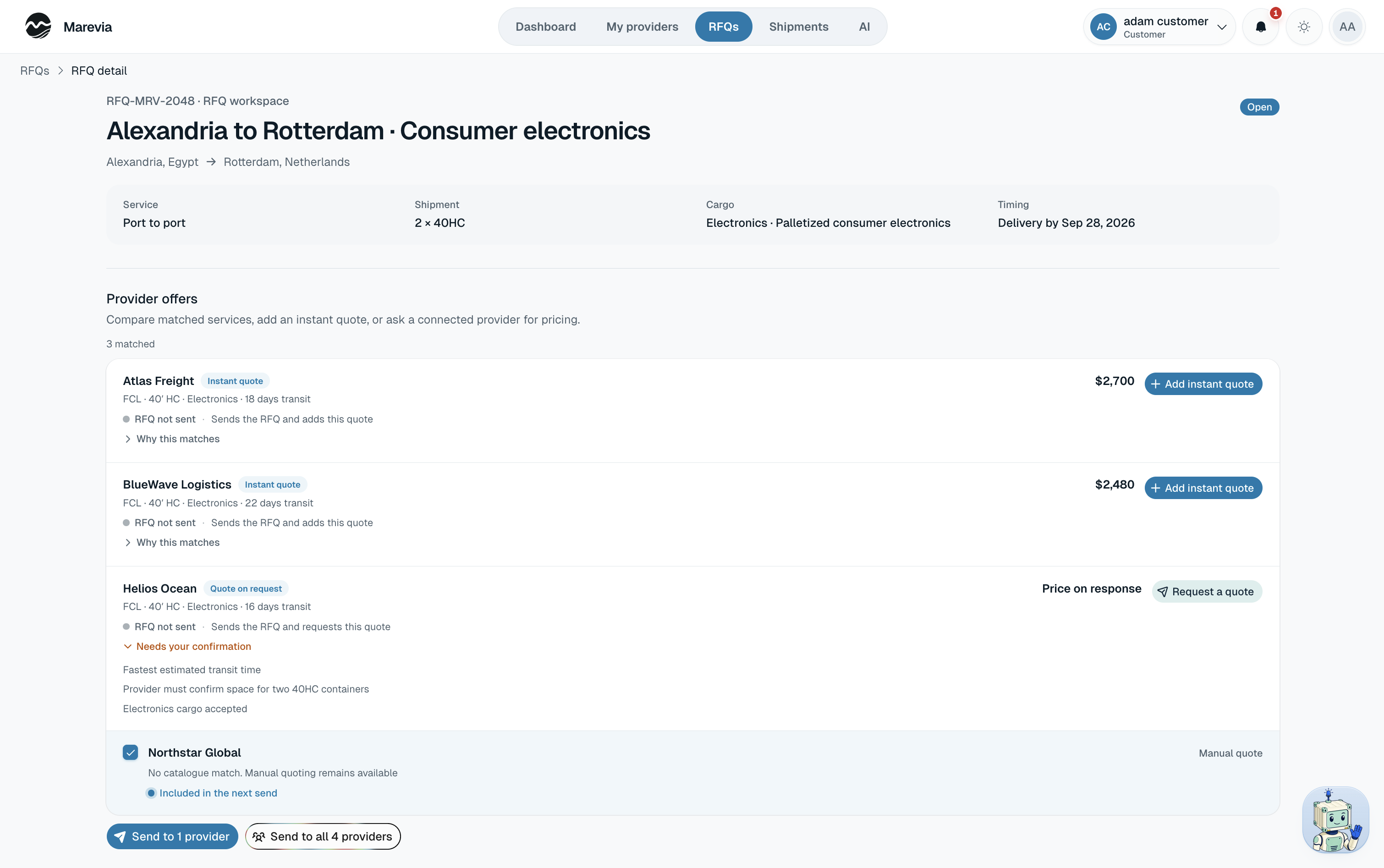
02Matching
Choose who receives it.
03Quotes
Use a catalogue rate or ask the provider.
Customers can add a published rate immediately. Providers can also review the RFQ and submit their own price, transit time, validity, and notes.
04Provider services
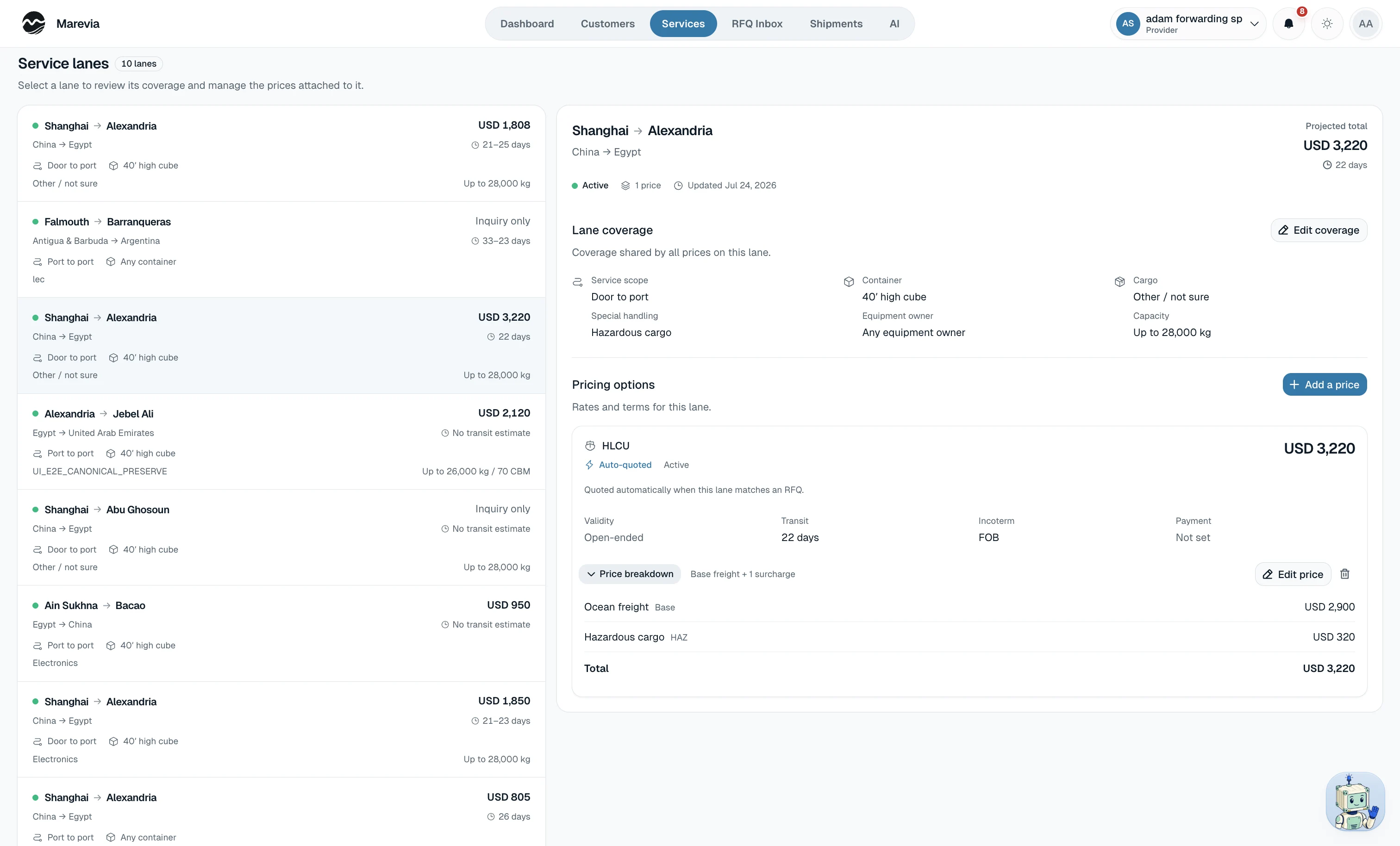
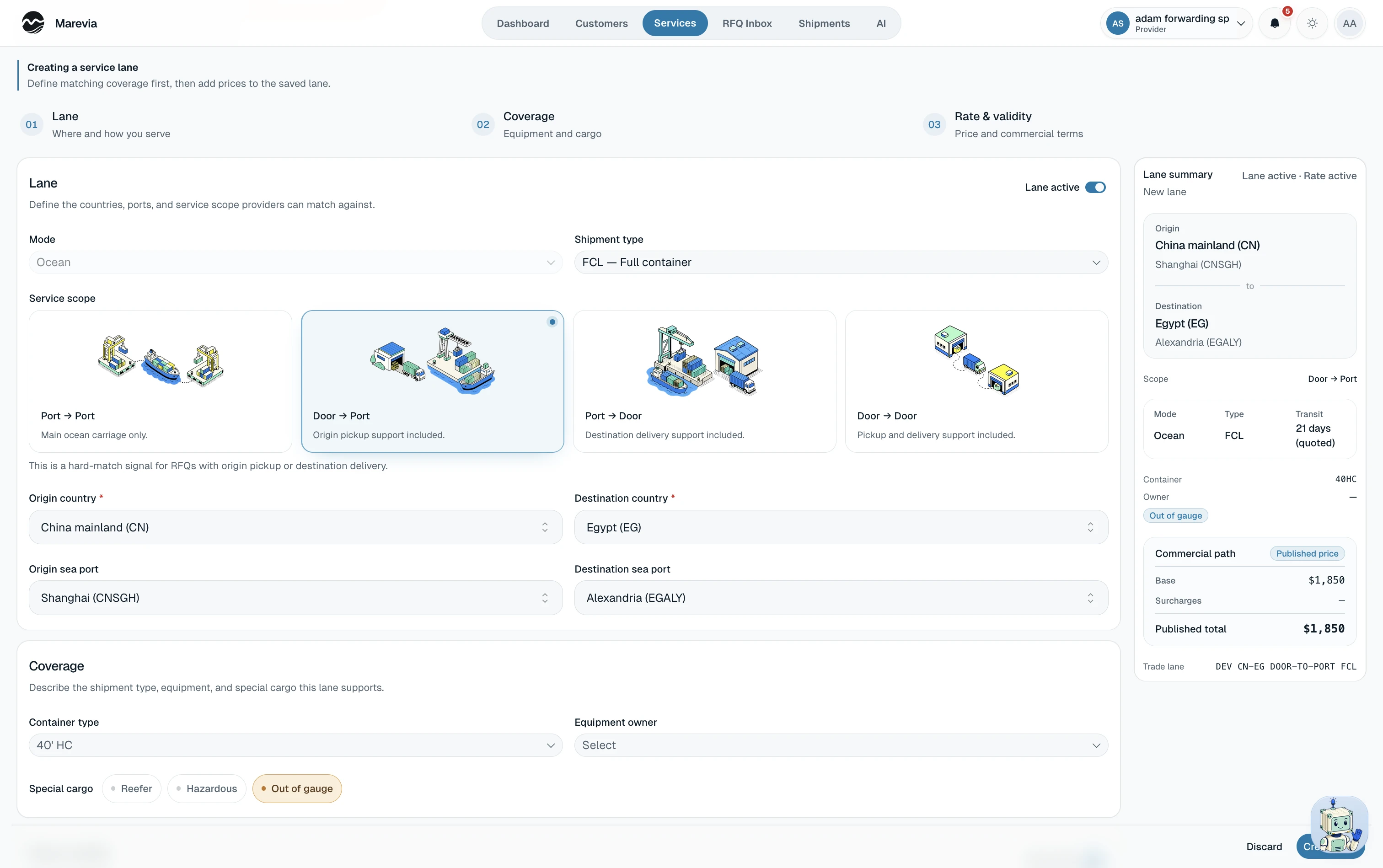
Providers define what they can handle.
Each service covers a lane, freight mode, equipment, cargo types, handling, and pricing. Marevia uses those details to match the RFQ.
05Award
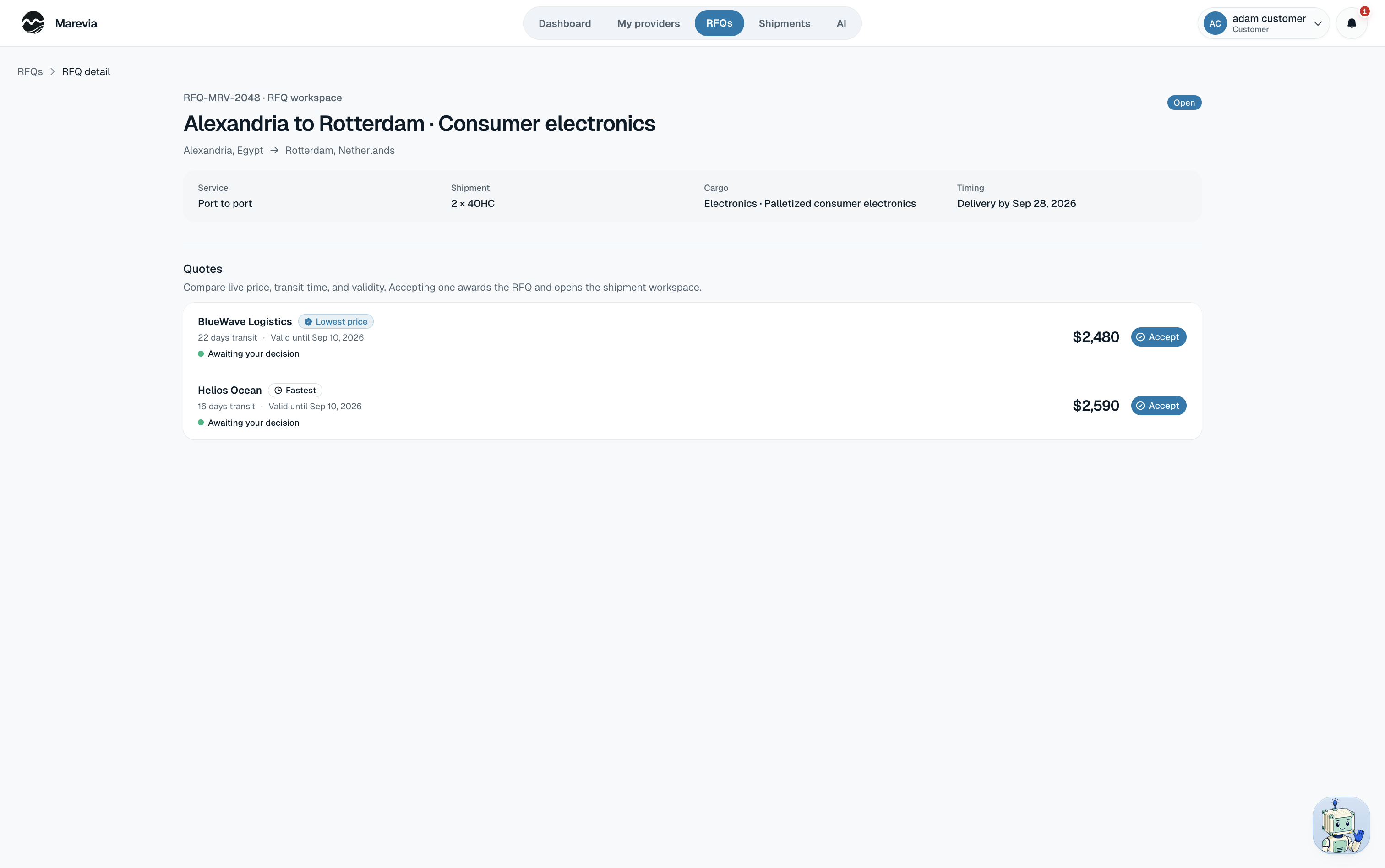
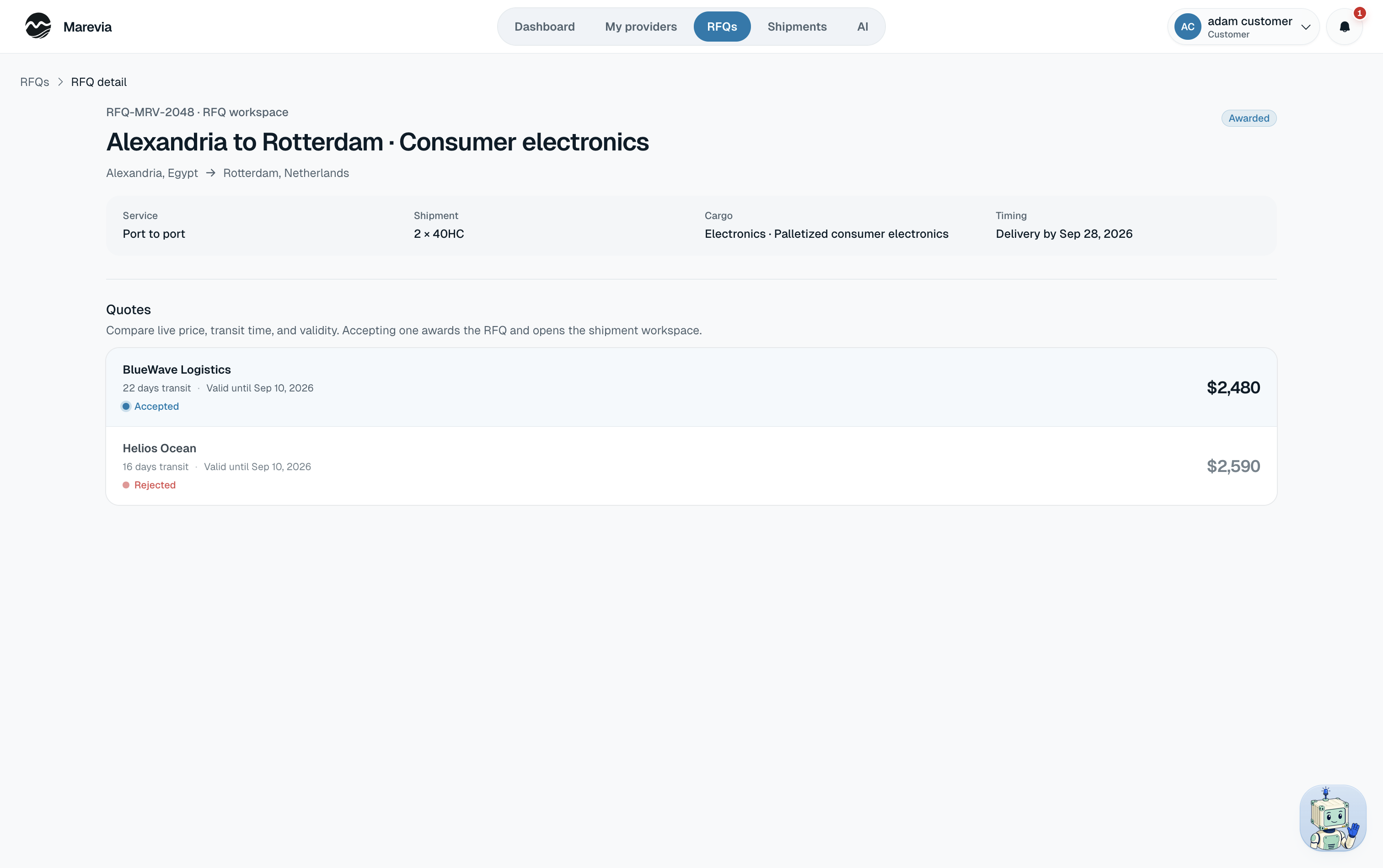
Compare the quotes and choose one.
Each quote lists price, transit time, how long the price holds, who is offering it, and the commercial detail under all of that. Accept one and Marevia awards the RFQ and opens the shipment workspace on the terms you agreed.
06Shipment
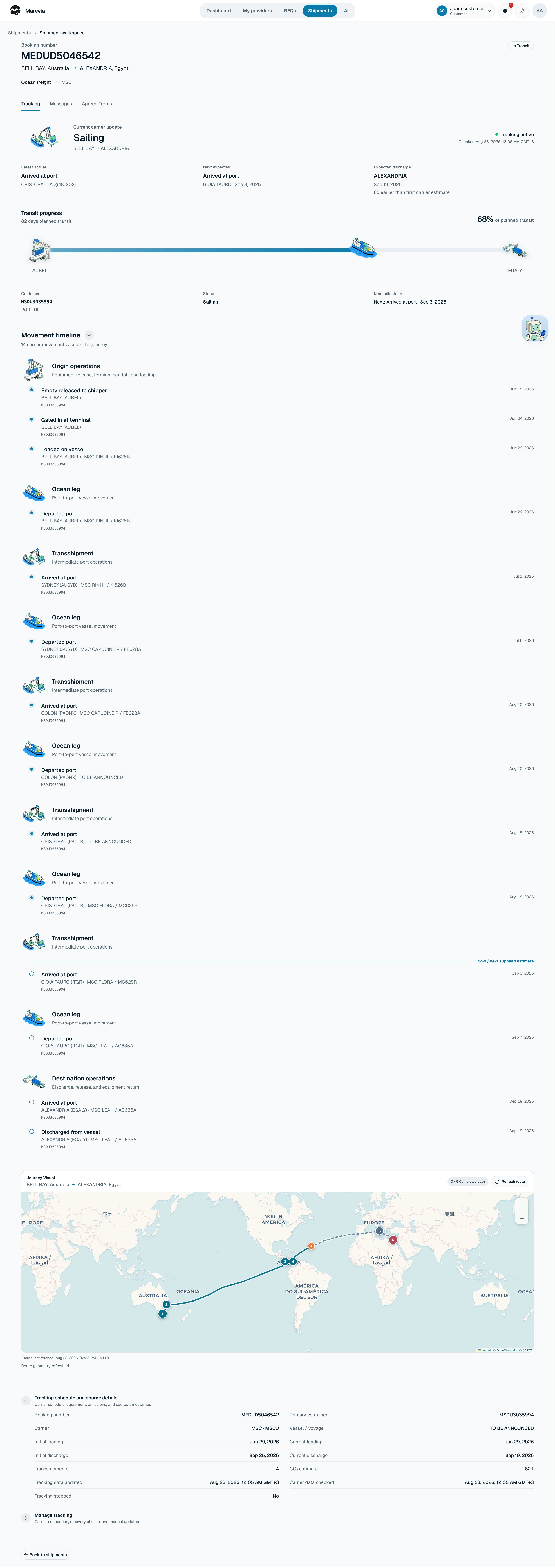
Then the shipment workspace takes over.
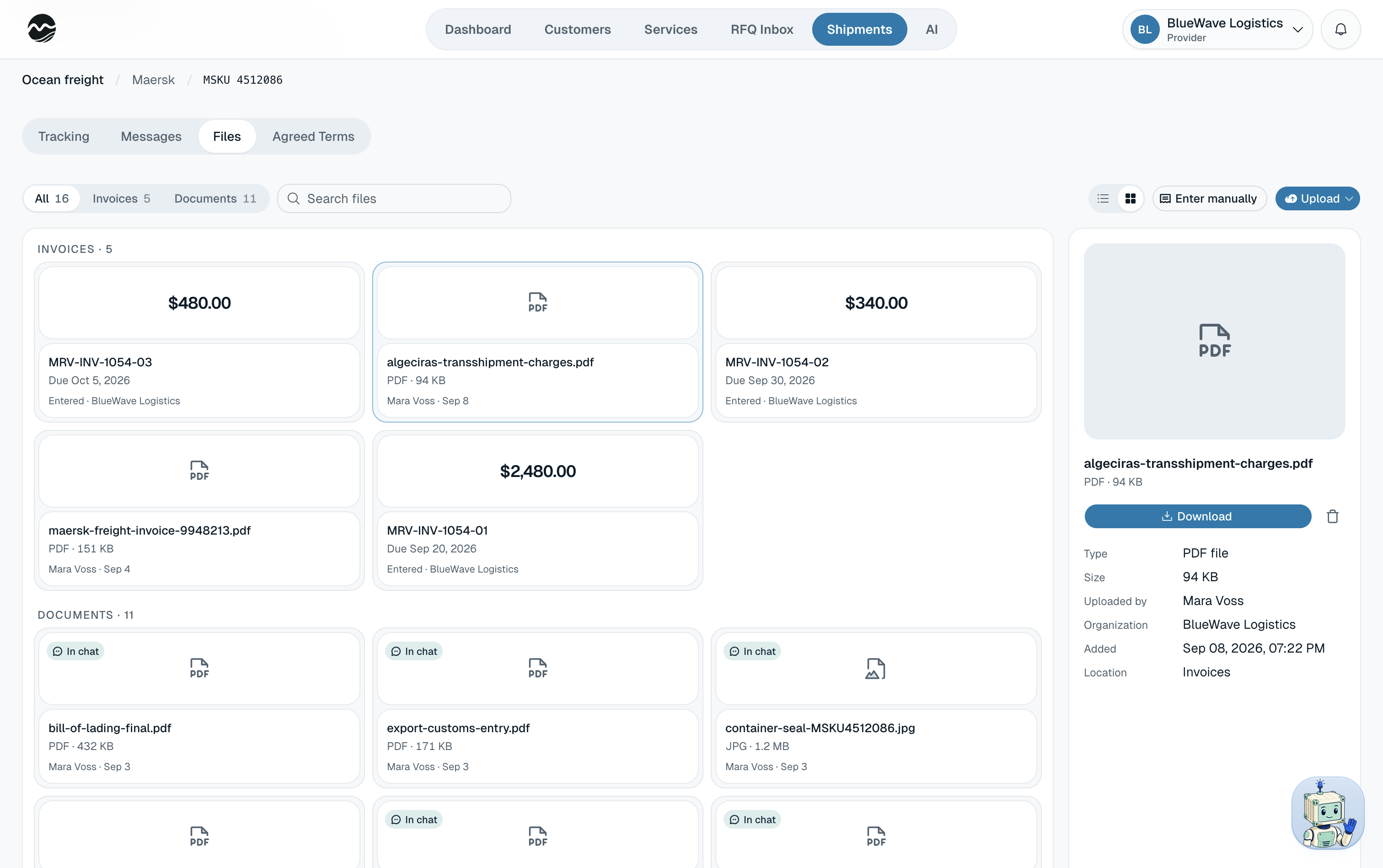
Carrier tracking updates as the cargo moves. You message the provider, exchange documents and invoices, and re-read what you agreed to without leaving the shipment.
07Dashboard
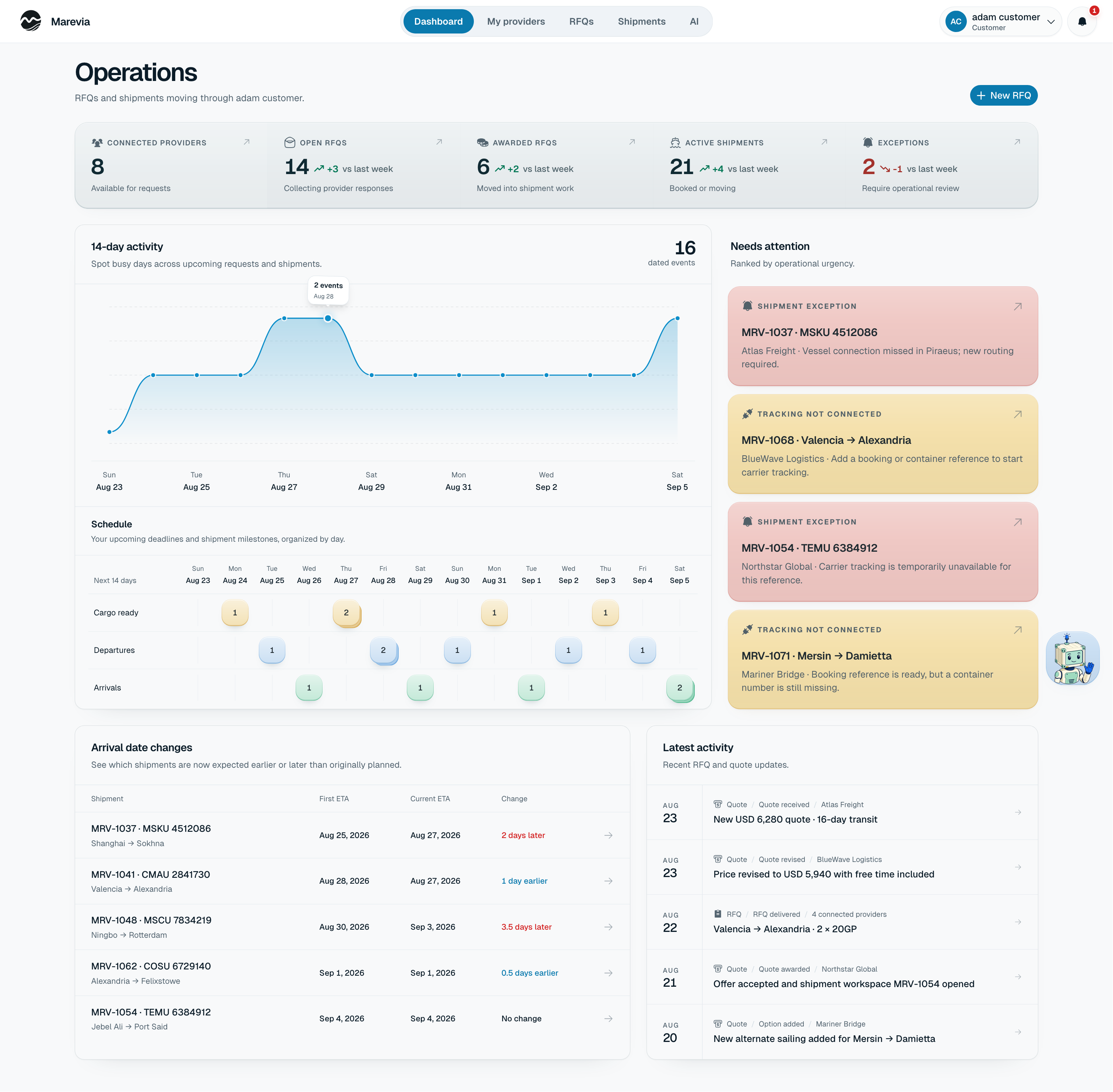
See every request and shipment.
Connected providers, open requests, quotes, active shipments, what is due, and what has gone wrong.
08AI
The AI works across Marevia.
And it can hand you the document.
The assistant compiles a briefing from live operational data and renders it as a real PDF in the browser, charts and tables included. Light or dark paper, then it downloads.
Onboarding for customers and providers.
Both set up the company and submit verification details. Customer tax documents can clear automatically; provider applications and uncertain customer evidence are reviewed by a person.
Providers manage customers and the work they share.
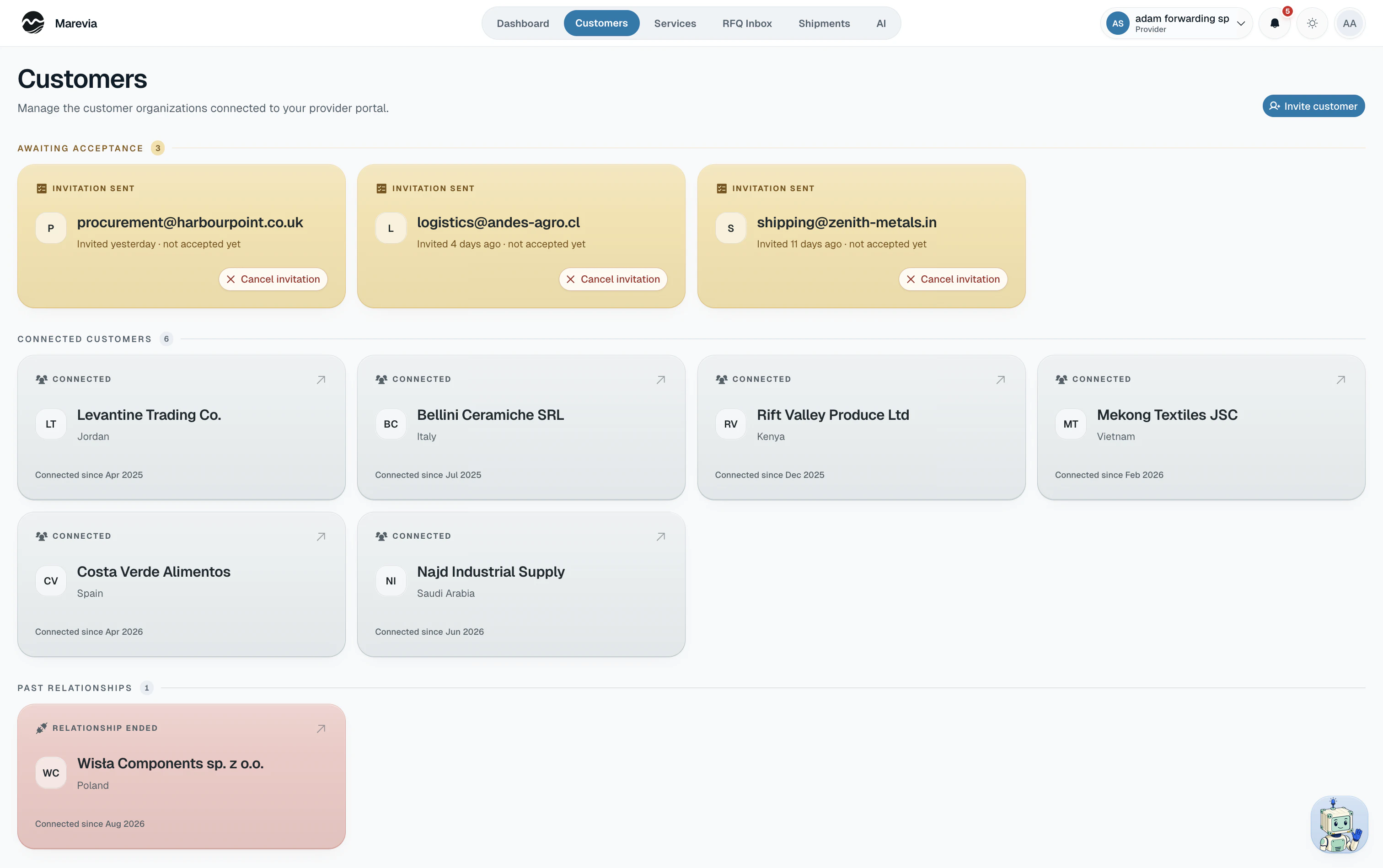
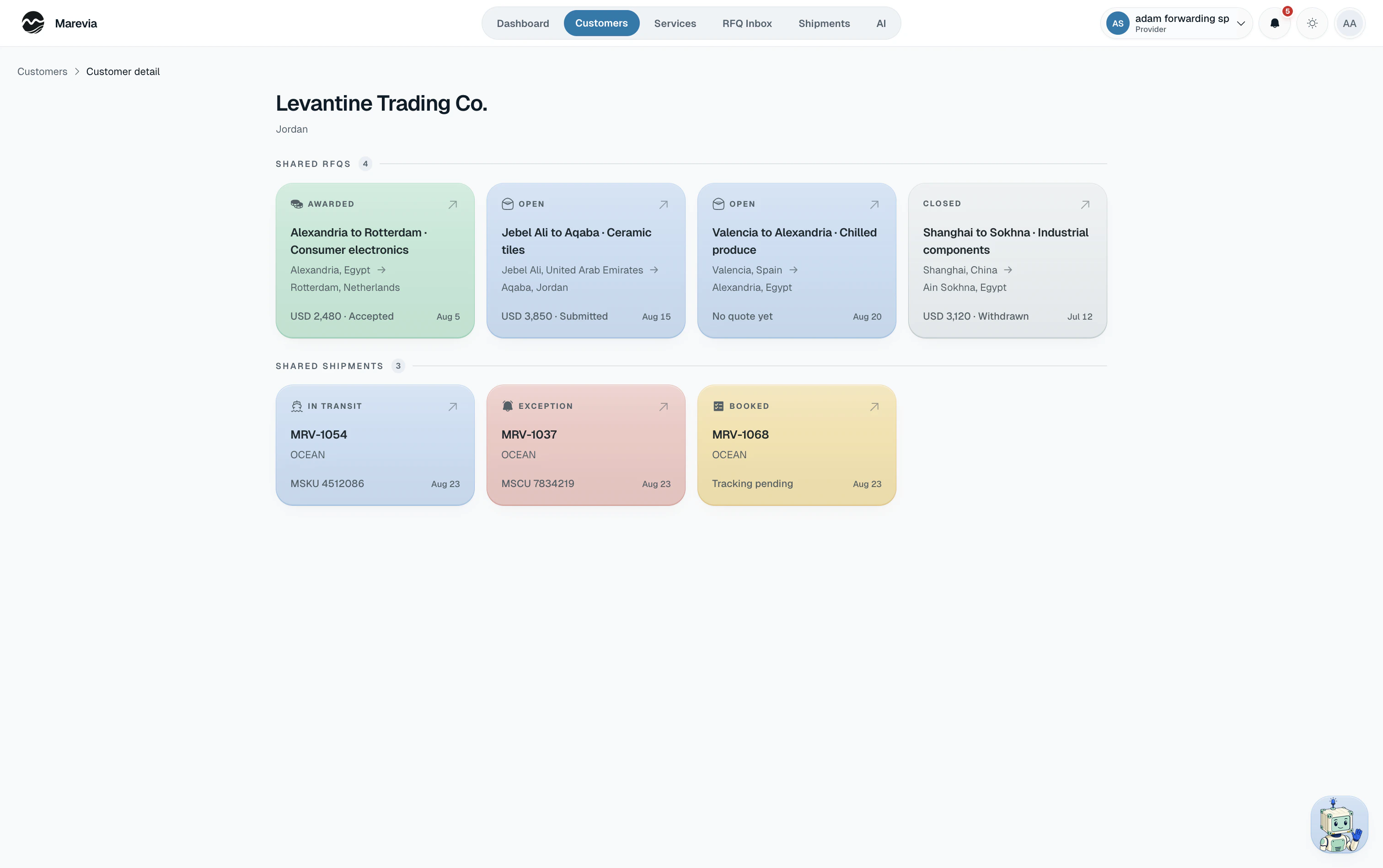
Dark mode has its own design system.
The same AI, on mobile.
The native app keeps the same threads and shipment visuals.
A note on the work
Marevia has probably asked more of me than anything else I have built, at least up to this point. I have worked on it across product design, logistics, backend architecture, authorization, data modeling, AI, tracking, performance, mobile, motion, branding, and all the strange details that appear somewhere between those things.
A lot of that work disappears when it is done properly. A conversation simply scrolls smoothly. A shipment route just looks correct. A company gets verified without feeling like it went through a janky compliance system. A page opens with its data already there. An illustration makes a complicated choice easier to understand. I spent an unreasonable amount of time on things most people will never know were difficult.
I rebuilt major parts of the underlying system, including the data model and architecture seven times if not more, as my understanding of the product, domain, and its needs became sharper. That also meant being willing to change the product itself, including rebuilding it from a marketplace-first idea into the private provider-customer network it is now. I obsessed over things as broad as authorization and shipment-tracking semantics and as specific as thread ergonomics, streaming behavior, scroll anchoring, material lighting, motion timing, and the exact way information enters the screen.
A lot of the work was difficult, some of it was thrown away, and plenty of it will probably change again. But I tried very hard not to leave something at “it works” when I knew it could be clearer, stronger, faster, or simply feel better.
I care a lot about what I made here. I tried to bring the same level of attention and care to the systems nobody sees and the pixels everyone does.